Turn Any Device Into a Lightning POS
Open the POS in any browser. Tap products, show a QR code, get paid in seconds. Customers pay from their phone, so their card never leaves their pocket. No hardware to buy, no app to install. POS payments are Lightning, or card when you connect your own card processor (Pro (coming soon)); on-chain is for online checkout, links and the API.
Build POS software? Add Lightning to your existing product
Your Visitors Keep Their Card in Their Pocket
Where cards get cloned, every tourist thinks twice before handing one over. With SatsRail POS they don’t have to: they scan a QR code and pay from the bitcoin wallet on their own phone.
Beach bars, dive shops, tour desks, markets and hostels: wherever travelers pay, a Lightning QR code takes the worry out of paying. Put up a sign that says “Pay with bitcoin — no card needed” so they know before they order.
Nothing to clone
No card, card number or PIN ever reaches your counter. Each Lightning invoice is for one exact amount and is paid once, so there is nothing to copy and charge again.
Their phone, their approval
The customer sees the amount on their own screen and approves the payment there. Nobody takes their card out of sight, and nobody watches them type a PIN.
No foreign card fees
No card means no foreign transaction fee and no terminal offering a bad exchange rate. You price in your currency; they pay in bitcoin from a wallet they already use, like Strike or Cash App.
No chargebacks on bitcoin
A Lightning payment is final in seconds. A cloned card used at your counter can come back as a chargeback weeks later; a bitcoin payment can’t.
Take Payments Anywhere
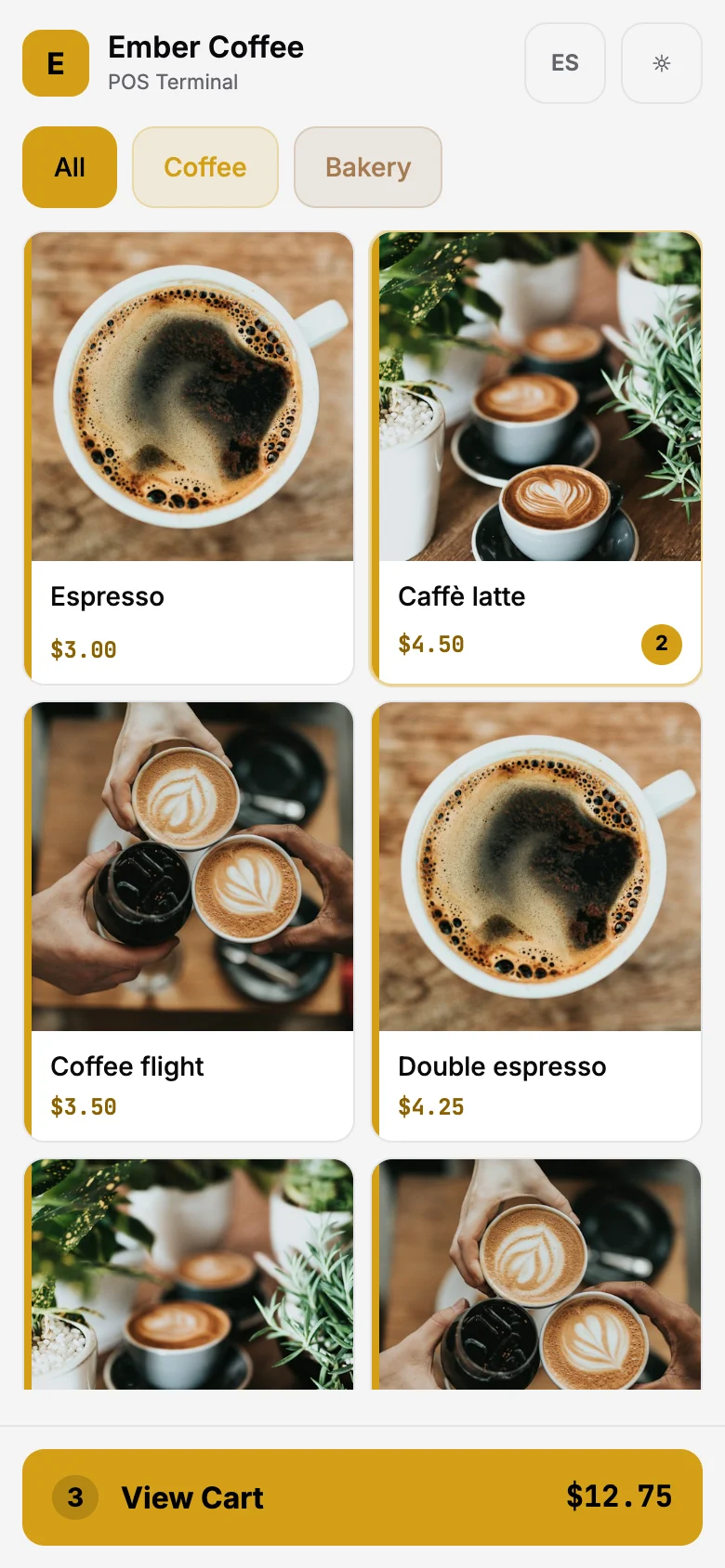
No terminal, no dock, no wires. Open the POS on your phone and start selling.
Built for Real Stores
Everything you need to accept Lightning at the counter
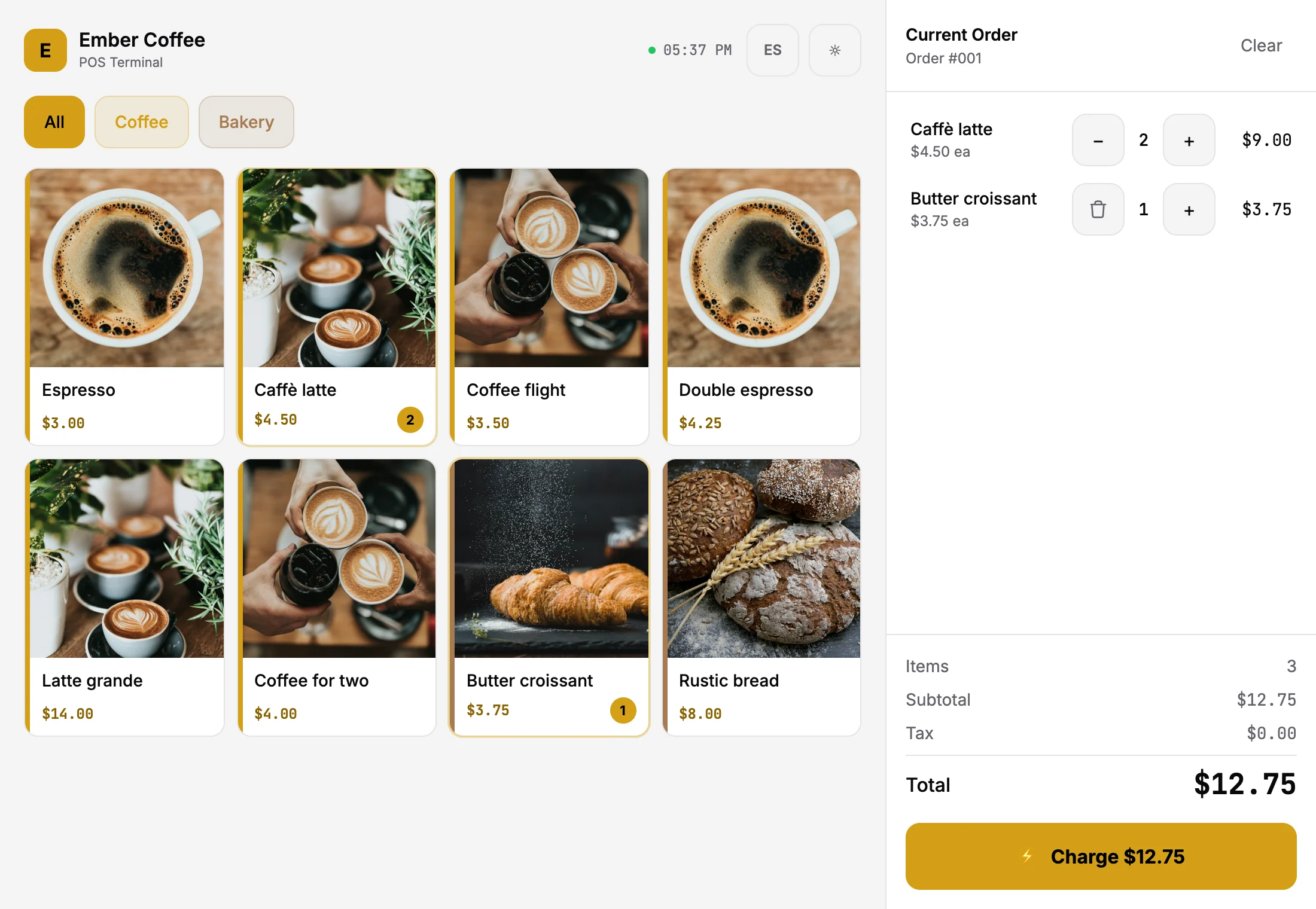
Actual POS interface with a sample catalog.
Stop Overpaying for POS Hardware
See how SatsRail POS compares to traditional terminals
| SatsRail POS | Square / Clover / Toast | |
|---|---|---|
| Hardware | $0 — use any device | $300 – $1,500+ |
| Monthly fee | Free plan available | $60 – $165/month |
| Transaction fee | $0 | 2.6% + $0.10 |
| Settlement | Seconds | 1–3 business days |
| Chargebacks | None on bitcoin | $15–$25 per dispute |
| Account freezes | Never | Common for "high-risk" |
| Setup time | 5 minutes | Days to weeks |
Built for Your Industry
Anywhere you have a counter, you have a Lightning terminal
Coffee Shops & Cafes
Fast checkout for small tickets. Put a tablet on the counter and accept Lightning alongside cash.
Retail Stores
Full product catalog with categories. Clothing, vape shops, record stores, bookshops — any product line.
Food Trucks & Markets
Open it on your phone. No equipment to haul. Accept payments anywhere you have a connection.
Restaurants & Bars
Table-side checkout with tips. Staff carry a tablet. Tips go directly to the wallet.
Events & Pop-Ups
Bitcoin conferences, art shows, meetups. Set up in minutes, tear down in seconds.
Tourist Spots
Visitors pay from their phone, not their card: nothing to clone, no foreign card fees, no chargebacks. Why it suits tourist towns
Your Customers Are Already on These Platforms
All major exchanges support Lightning — their users can pay you instantly.
- Coinbase
- Binance
- Kraken
- Bitfinex
- OKX
- Strike
- Cash App
- bitFlyer
Cloud Backend. No Install.
Just Open and Sell.
Manage products, sales tax, and tips from the dashboard. The POS connects to the SatsRail API — host it yourself, or use ours. Runs anywhere a browser runs.
Instant payments
Your wallet, your keys
USD, EUR, any currency
Login or API key per cashier
Get Set Up
Four steps to accepting Lightning payments
Install Alby Hub
Download Alby Hub — your Lightning wallet that acts as your Bitcoin bank account. Keep it running to receive payments.
Create Your SatsRail Account
Register at satsrail.com and connect your Alby Hub wallet. This links your payments to your account.
Add Your Products
Download our spreadsheet template, fill in your catalog, and upload it. Set your tax rates and tip options.
Open the POS & Sell
Launch the POS in any browser, log in, and start accepting payments. Your catalog is ready to go.
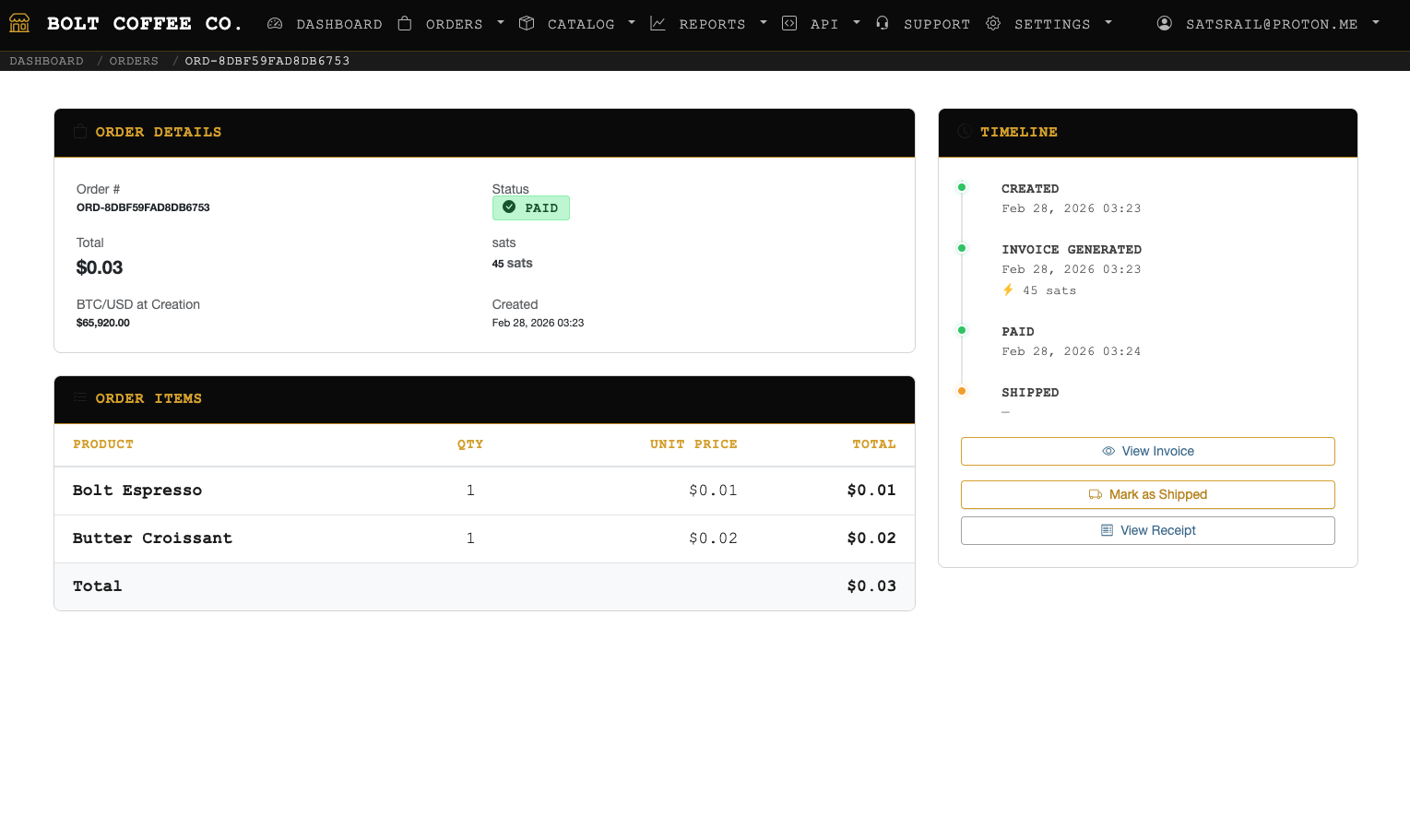
Every Order. Every Sat. Tracked.
See payments in real time, manage your catalog, and track every sale — all from one dashboard.
Free forever for early adopters — limited spots
Ready to Ditch the Credit Cards?
No hardware. No fees. No chargebacks on bitcoin. Your customers already have the app — you just need the QR.
SatsRail POS is a feature of SatsRail • Register at satsrail.com to get started